 Built for DaVinci Resolve · v 2026.1
Creator Pro — DaVinci Resolve Workspace Template for Solo Creators
A pre-organized DaVinci Resolve template. Install it once, get the same clean workspace on every project, forever.
DaVinci Resolve template features at a glance.
Four things that usually eat your editing time. Pre-built once, ready forever.
Timelines
Every modern format pre-configured. No more aspect ratio mistakes.
Sound effects
Royalty-free .wav library. Organized by use case, ready to drag.
Effects
Drag-and-drop adjustment layers. No Fusion keyframing needed.
Guide pages
Full walkthrough with screenshots. Install, learn, edit.
No more chaos.
Just structure.
Open any new project and find the same clean, color-coded Media Pool waiting for you. No setup, no clutter, no decisions to make.
folders
The setup.
One project.
Every format.
Edit your YouTube long-form, TikTok cut, Reel, and IG feed without ever switching projects. 11 timelines, one Media Pool.
ready to edit
The formats.
Stop rebuilding the same DaVinci Resolve project.
Set it up once. Use it for every video you'll make from now on.
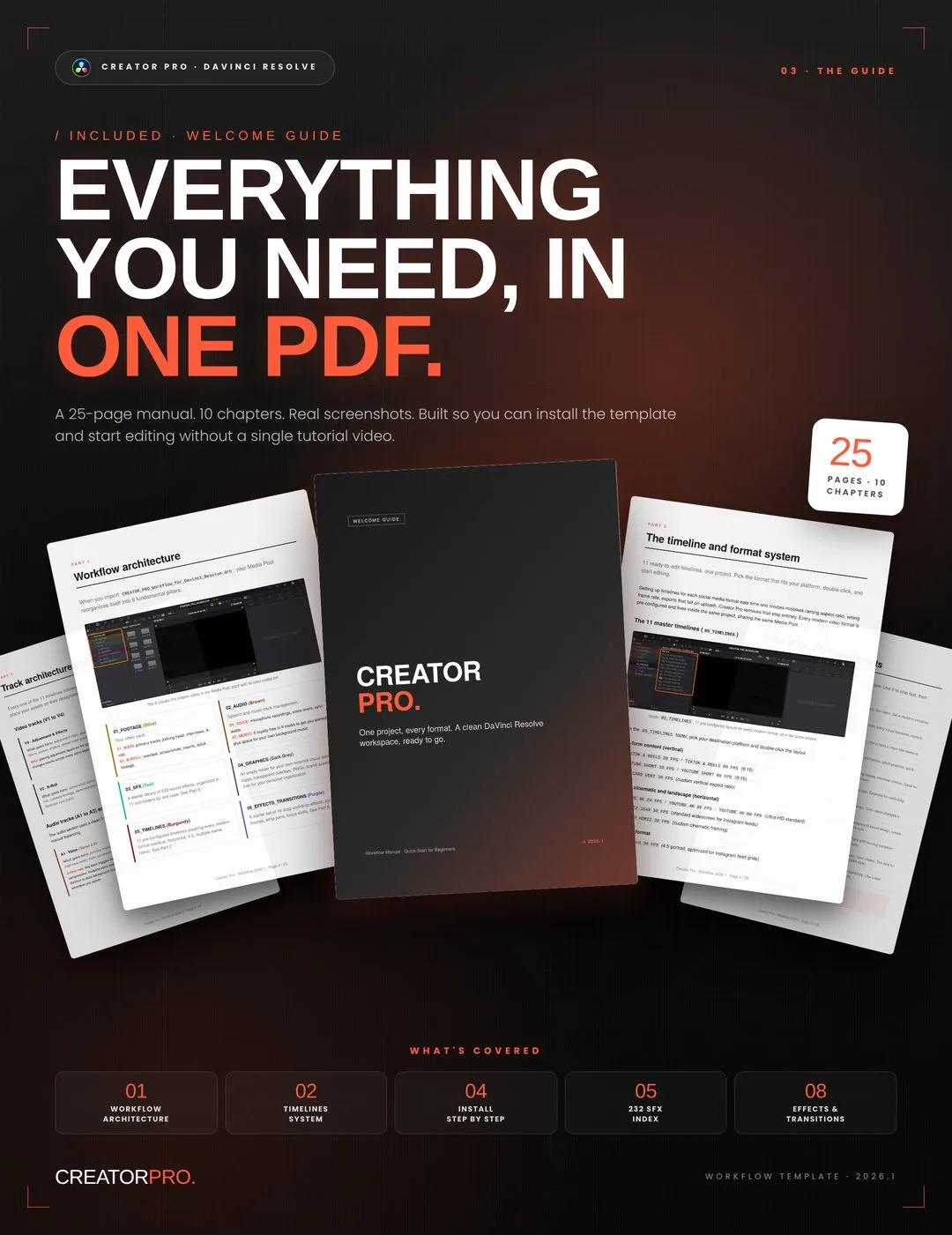
Table of contents.
Your download also includes a 25-page Welcome_Guide PDF that walks you through how to use and optimize the entire workflow from start to finish.
- 01The Creator Pro philosophy
- 02Workflow architecture
- 03The timeline and format system
- 04Track architecture: video and audio
- 05Installation, step by step
- 06Index of the 232 sound effects
- 07Fairlight audio magic: automatic ducking
- 08Professional audio settings and gain staging
- 09Drag-and-drop effects and transitions
- 10Unbreakable titles
- 11End-user license agreement
One-time payment for the DaVinci Resolve workspace template.
No subscription. No upsells. One single payment, that's it.
Creator Pro
The complete DaVinci Resolve workspace, ready to install.
One-time payment to support my work.
Instant download · Mac & Windows · DaVinci Resolve compatible
Digital product, delivered immediately and by download only. By completing your purchase you expressly request immediate delivery and acknowledge that you thereby waive your 14-day right of withdrawal, in accordance with article L221-28, 13° of the French Consumer Code. Once the download has been made available, the sale is final and no refund can be claimed on the basis of that right. This does not affect the statutory guarantee of conformity: if the product does not work as described on the systems and versions listed in the requirements on this page, write to [email protected] and I will fix it or refund you.
- 11 pre-configured timelines (every modern format)
- 232 royalty-free sound effects in 11 categories
- 16 drag-and-drop visual effects and transitions
- 5 lo-fi background music tracks
- Custom title templates (Split-Highlight, lower thirds)
- 25-page Welcome Guide (PDF)
Frequently asked questions about Creator Pro.
Which version of DaVinci Resolve is required?
Creator Pro works with DaVinci Resolve (versions 18, 19, 20, 21) on both Mac and Windows, in both Free and Studio editions. The template uses standard features available across these versions, including Compound Clips and the Fairlight mixer.
Is this a one-time payment or a subscription?
One-time payment. You pay once, that's it. No recurring fees, no upsells, no expiration.
Can I use the sound effects and music commercially?
Yes. The 232 sound effects and 5 music tracks are royalty-free for use in social media content, indie films, corporate videos, podcasts, and paid advertisements. No attribution required. The only restriction: you cannot resell or redistribute the files themselves.
What if I'm a beginner with DaVinci Resolve?
The included 25-page Welcome Guide walks you through installation, the workflow architecture, and how to use each part of the template, with real screenshots. You don't need prior experience with DaVinci templates to install and use Creator Pro.
Will this replace my existing title plugins?
No. Creator Pro includes a few simple, reliable titles to get you started. It's designed to work alongside dedicated title plugins (free or paid) you may already have. The template is a starter kit, expected to grow with your own assets over time.
How does delivery work?
After purchase, you'll receive an instant download link with the full pack: the workflow file, sound effects, music, fonts, and the PDF guide. Everything is contained in a single .zip file.
Is Creator Pro the right workspace template for you?
Who is this for?
Creator Pro is built for video editors and content creators who want a seamless, multi-format workflow and a solid foundation that cleanly absorbs their own expanding library of assets over time.
Who is this NOT for?
- ·Non-DaVinci Resolve users: built exclusively for DaVinci Resolve. Will not work in Premiere Pro, Final Cut Pro, or CapCut.
- ·Anyone looking for an 'AI Auto-Editor': it removes the friction of setup and organization, but you still do the actual editing.
- ·Large studios: optimized for solo creators, YouTubers, freelancers, and small teams who need to move fast across multiple formats.