Photo Zine Creator
Turn your favorite photos into a printable 8-page zine from a single A4 sheet. Upload images, arrange pages by drag & drop, customize the cover, and export a ready-to-fold PDF with assembly instructions. 100% private, no upload required.
Enjoying this free tool? Support my work by grabbing my first photo zine, Absorbed by the Algorithm, Vol. 1 — 28 pages, 33 images.
Build your zine
Click a thumbnail to focus it and adjust its settings. Drag pages 2–7 to reorder them.
The printed A4 sheet
The order and orientation of pages are set automatically. Once you fold and cut along the center line, your zine assembles perfectly. Pages sit upside-down on purpose; that's the fold.
Free Photo Zine Maker — From Screen to Paper
FotoZine Lab is a free, browser-based tool that helps you create a small photo publication in minutes. A photo zine is a self-published booklet of images, usually printed and folded by hand. With this tool, you can design an 8-page zine that fits on a single A4 sheet. Perfect for sharing your work at exhibitions, gifting to friends, or keeping a tangible collection of your photography.
Unlike complex desktop publishing software, FotoZine Lab handles the page layout automatically. You just upload your photos, drag pages to reorder them, add cover text, and download a print-ready PDF with a folding guide.
Upload Your Photos
Add one image per page. The cover and back cover can also display custom text with adjustable fonts, size, and position.
Arrange & Customize
Drag pages 2–7 to reorder them. Choose image fit, padding, rounded corners, and the overall zine background color.
Print & Fold
Export a high-resolution PDF, print it in landscape on A4, and follow the included folding guide to assemble your zine.
Assemble Your Zine
After exporting your PDF, follow these steps to turn your printed sheet into a physical zine.
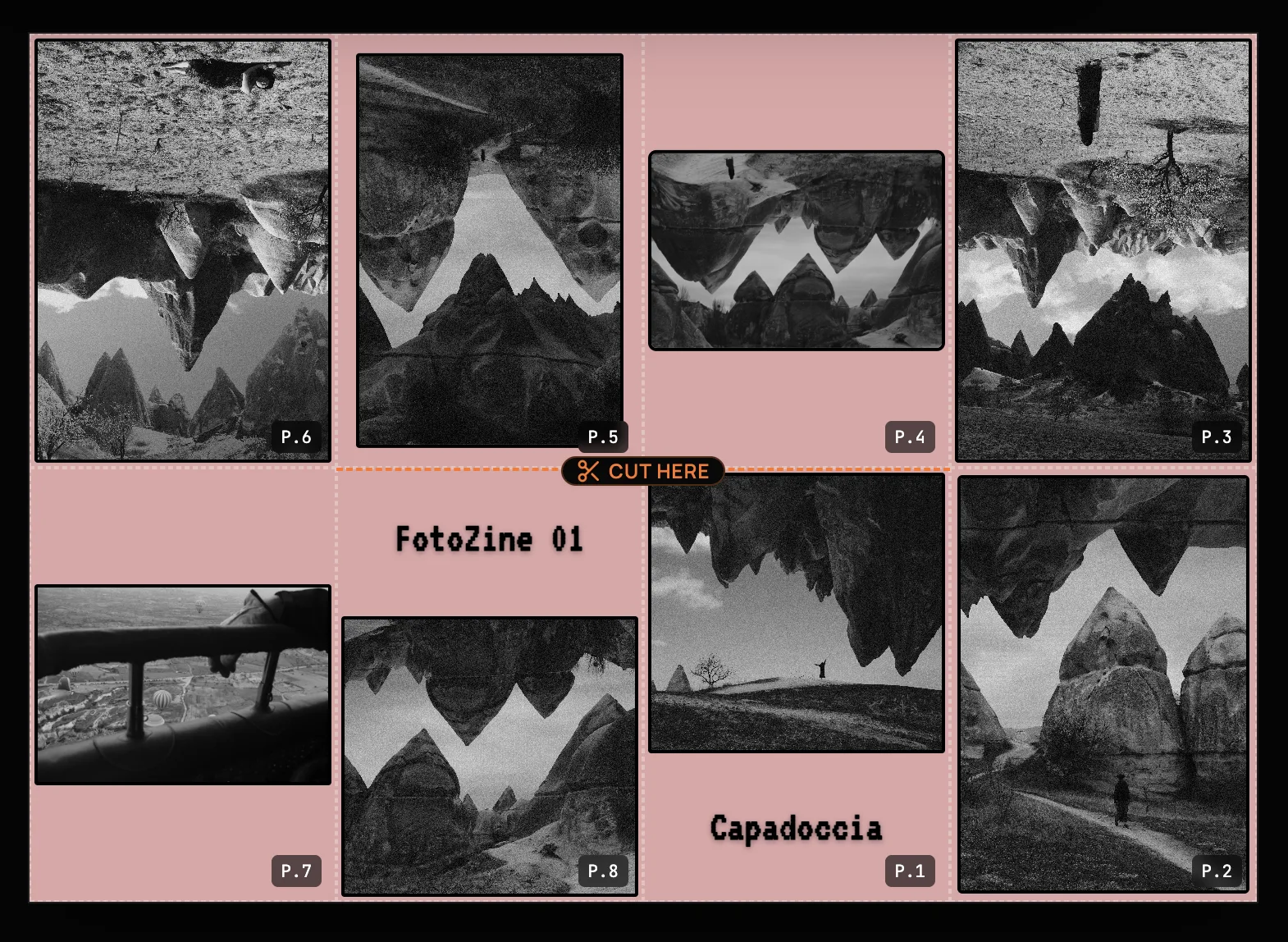
Print the PDF on A4 paper in landscape.
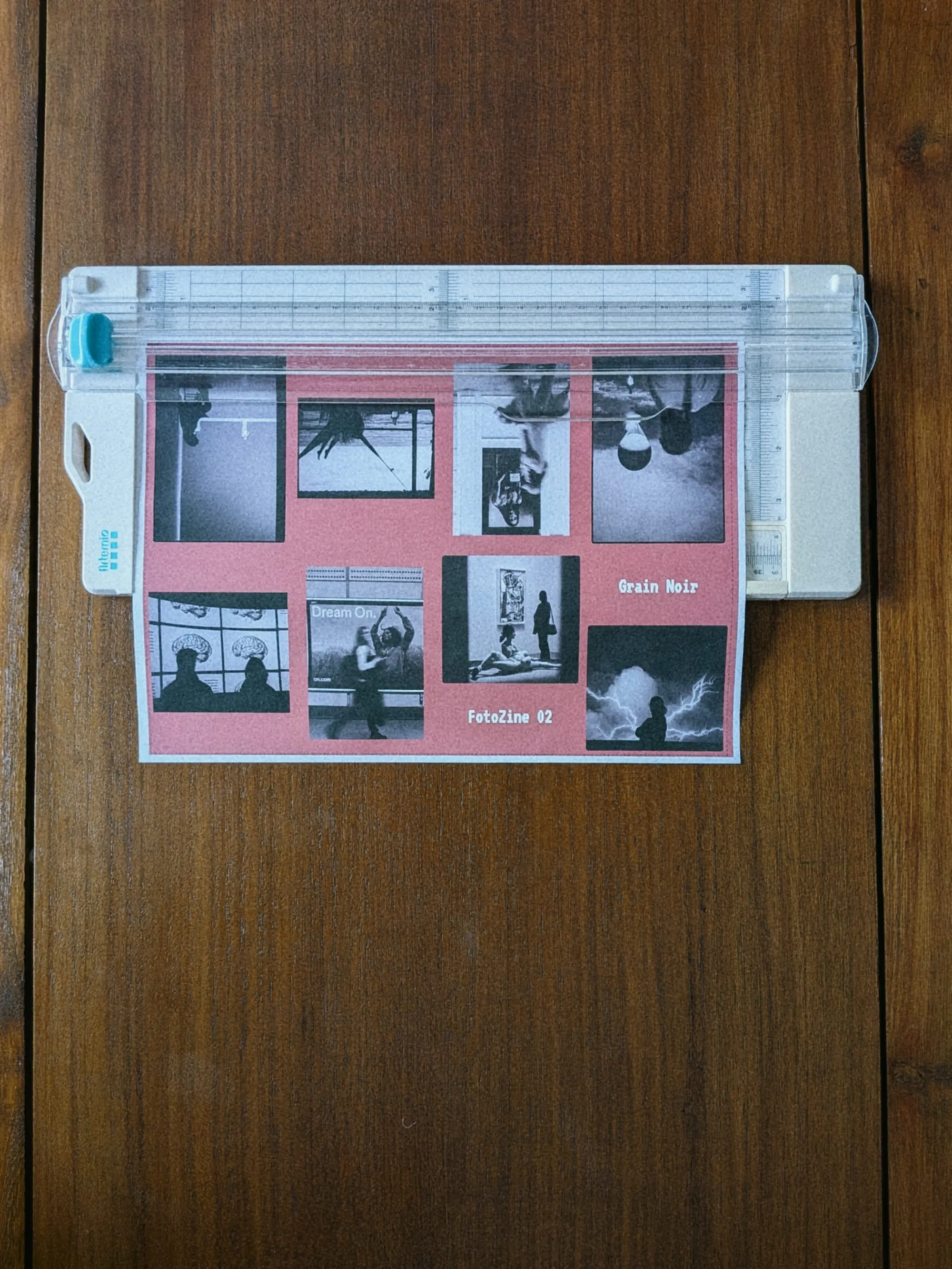
Cut the bleed lines. Standard home printers can't print edge-to-edge, leaving a white border around the paper. Trimming these margins is necessary to ensure your zine's layout aligns perfectly when folded.
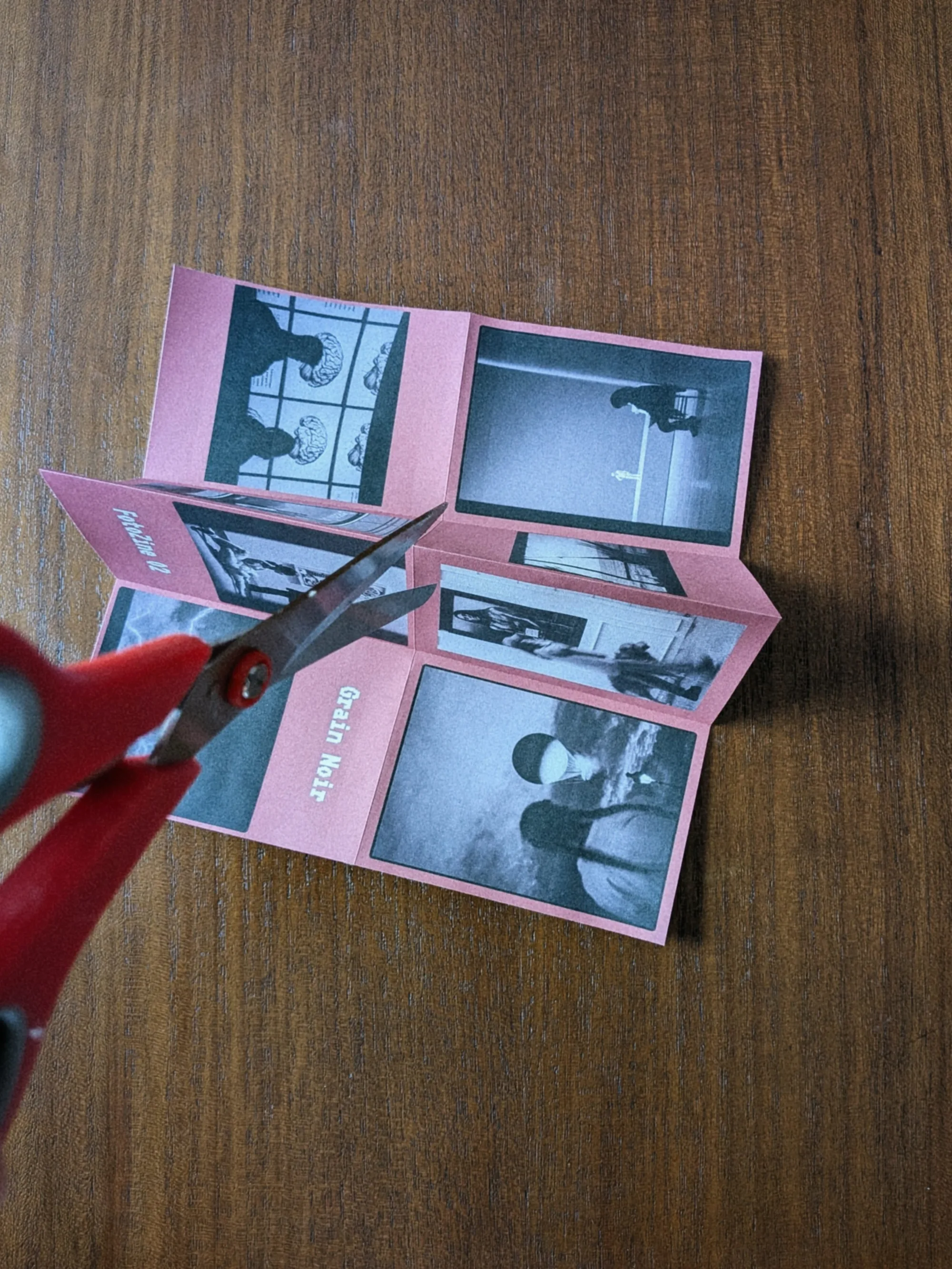
Fold the sheet in half widthwise, then cut along the center fold from the folded edge to the middle intersection (one rectangle wide). Open the sheet completely, fold it in half lengthwise, then push the ends toward the center. The slit opens into a cross shape.
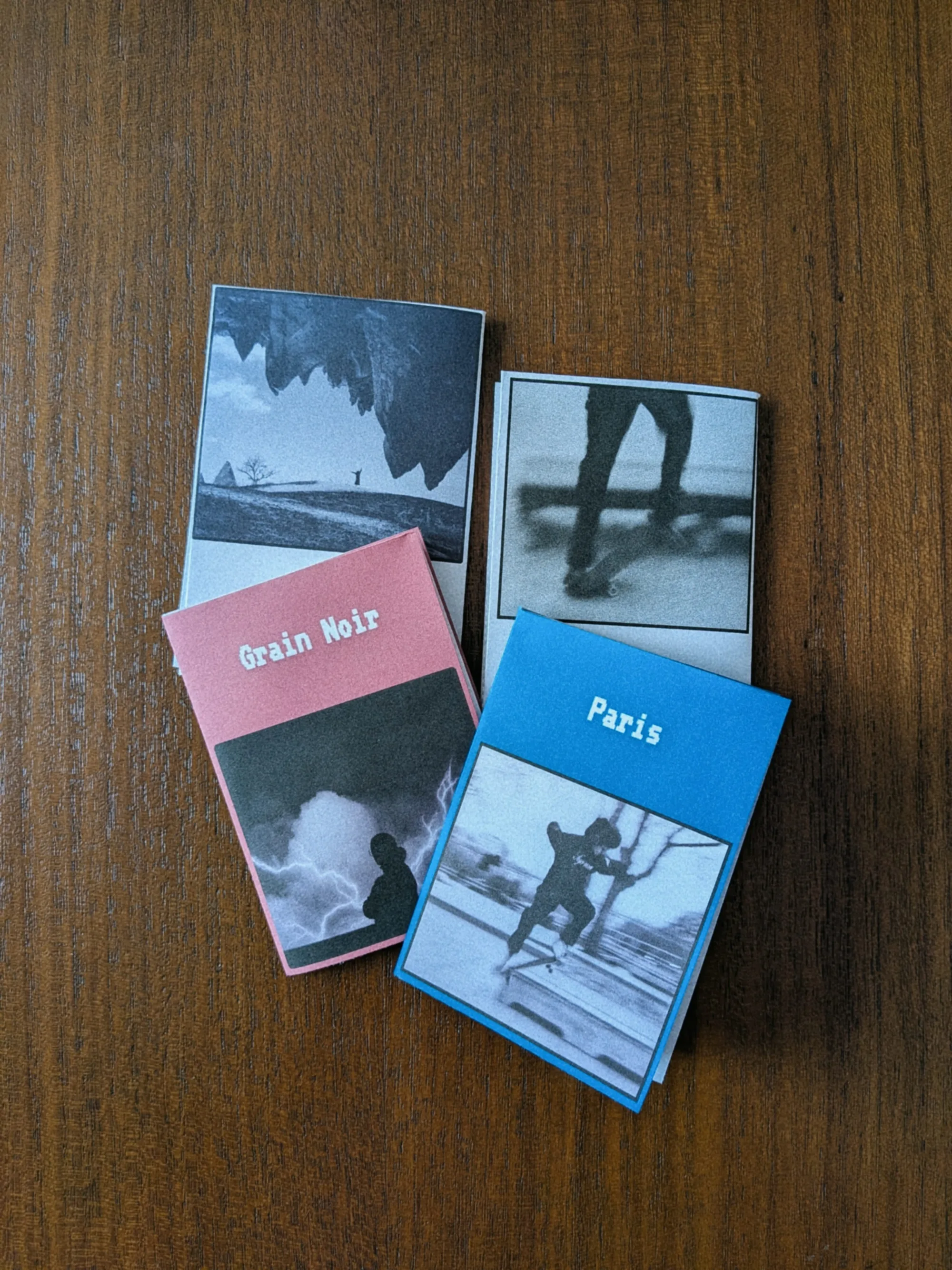
Flatten all pages in the same direction. Your 8-page photo zine is ready. The cover on top and back cover behind.
One-Sheet 8-Page Layout
FotoZine Lab uses the classic single-sheet zine fold: one A4 page becomes 8 individual pages after a few folds and one central cut. The tool automatically places each page in the correct position and orientation, so your booklet reads in the right order once assembled. Read our step-by-step folding tutorial with photos of each fold.
Drag to Reorder
Pages 2 to 7 can be reordered by dragging their thumbnail in the grid. The cover (page 1) and back cover (page 8) stay fixed at the start and end of your zine to keep the structure intact.
Cover Typography
Add a title or artist name to the cover and back cover. Choose from 8 expressive fonts — typewriter, marker, pixel, glitch, serif, and more — and adjust size, color, and position freely.
Private & Offline
All image processing happens in your browser. Your photos are never uploaded to any server, and the exported PDF is generated locally on your device.
Frequently Asked Questions
Guides & Tutorials
Other Tools
Halation Lab
CineStill 800T film halation effect
CineStill 800T Preset
Preloaded iconic red glow settings
Whiteborder Lab
Custom borders & aspect ratios
Film Border Generator
Classic film look border
Double Border Generator
Sharp double frame border
InstantCard Lab
Photo cards with camera metadata
Carousel Lab
Seamless Instagram carousels
Grading Lab
Color palette extractor
Camera Finder
Find your perfect Fujifilm