 Skill pack for Claude Code · v1.1
Stop buying plugins. Own the forge.
Every plugin you have ever bought solves someone else's problem, in someone else's way, and stops exactly where its author stopped. The Forge sells you the other thing: the ability to build the tool you actually need, in an afternoon, and to keep that ability for good.
Requires DaVinci Resolve Studio
In Resolve 21.1, released on 8 September 2026, Blackmagic moved Python scripting to the Studio version. the plugins you build with the Creator edition are Python scripts, so before you buy:
- DaVinci Resolve Studio, any version: runs in full.
- DaVinci Resolve free, up to 21.0.4: runs in full.
- DaVinci Resolve free 21.1 and later: does not run. A Python plugin never appears in Workspace > Scripts there, with no error message and no dialog.
Check your edition and version under DaVinci Resolve > About DaVinci Resolve before buying. What I measured on Resolve Free 21.1

One purchase. Every tool you will need.
The Forge is not a plugin. It is the method your AI worker follows to build them, distilled from two commercial Resolve plugins shipped to paying customers.
Install
One click. The skill lands in Claude Code and your worker knows how to build for Resolve.
Plugins
No licence per tool, no fee per build. What you make is yours to keep and to use.
Guide chapters
From a blank terminal to a working plugin in Resolve. Nothing assumed.
Shipped products behind it
The traps documented here were paid for in real support tickets, not in theory.
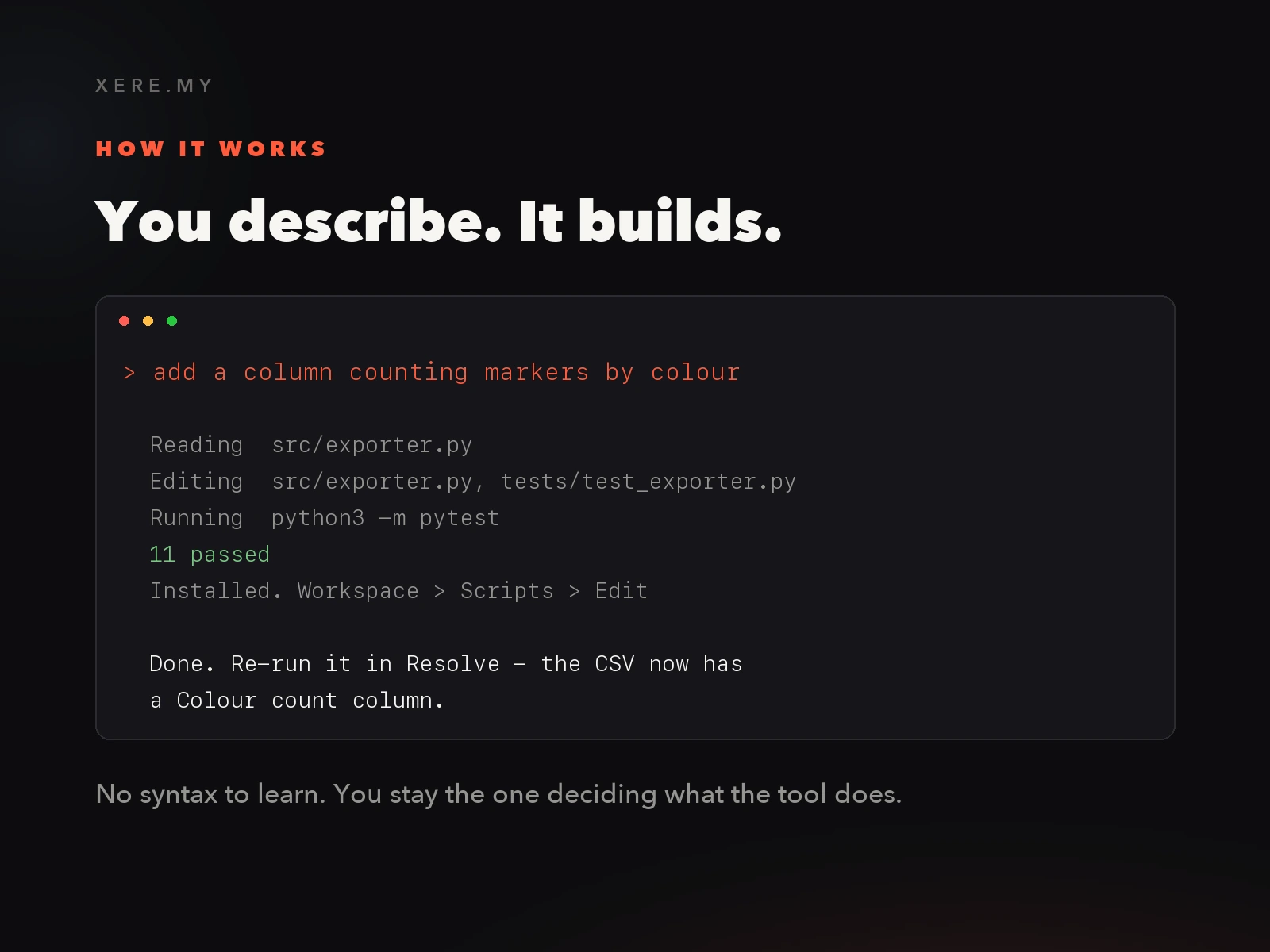
You describe. It builds.
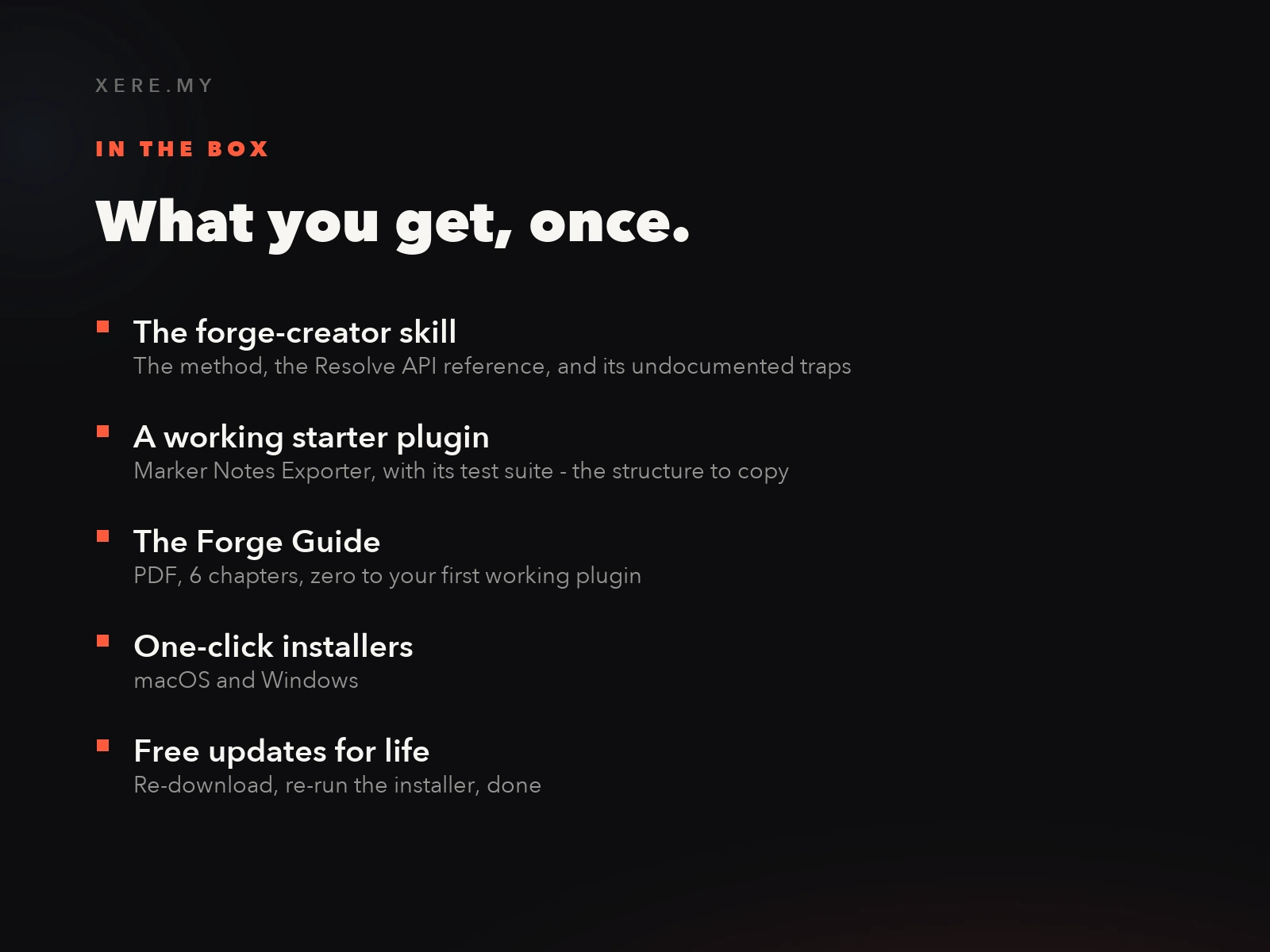
What you get.
Your first plugin, this afternoon.
Install the skill, run the starter plugin inside Resolve, then change it by asking for what you want in plain English. The guide walks the whole path, step by step.
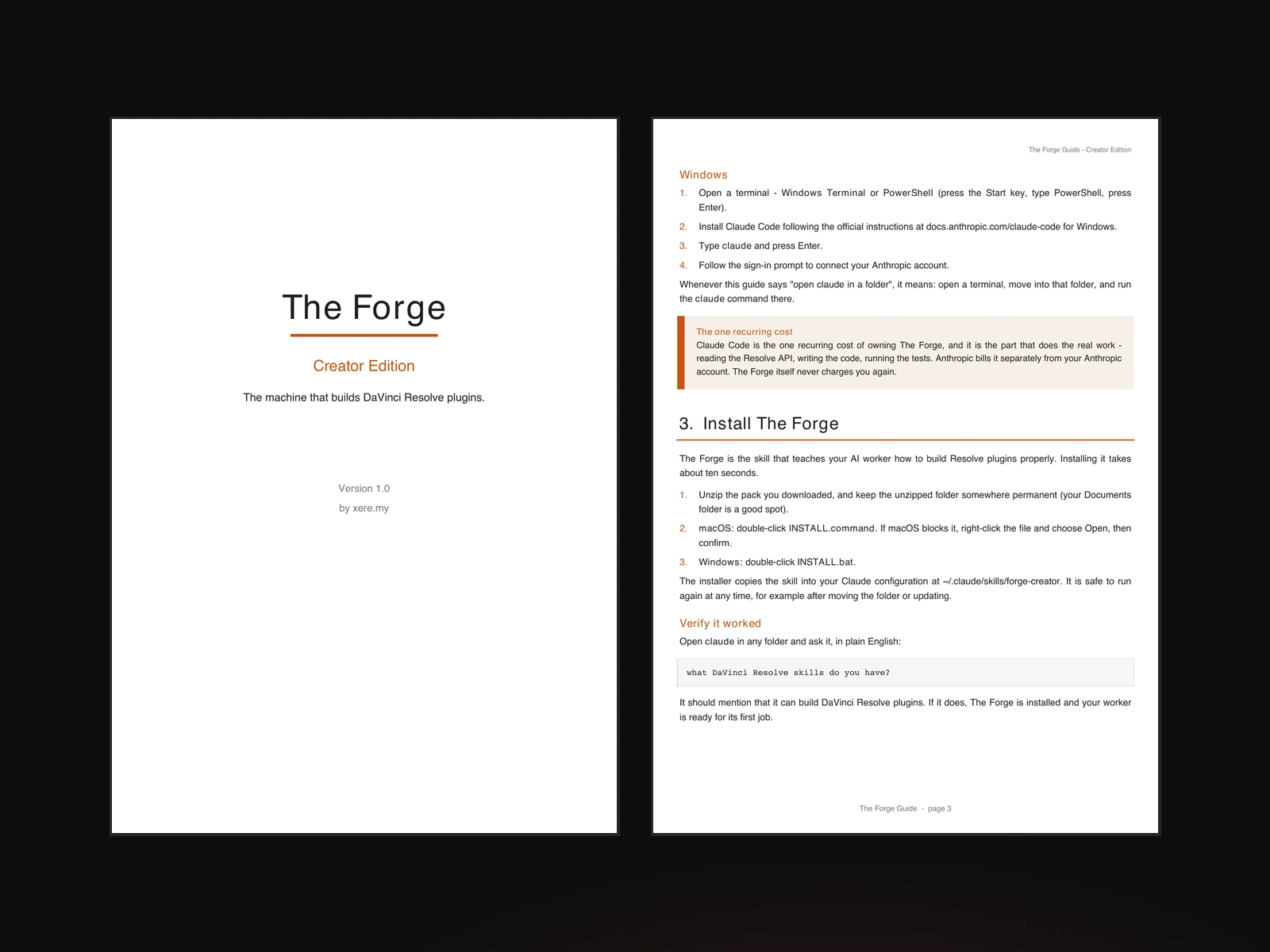
The Forge Guide
A 6-chapter PDF written for someone who has never opened a terminal. It sets up your worker, installs the skill, builds a first plugin, then teaches you to change it by asking. Every step is written to be followed, not admired.
- 01What you are about to do, and what you need
- 02Setting up your AI worker
- 03Installing The Forge
- 04Your first plugin, running in Resolve
- 05Changing it with plain English
- 06Building your own tool from scratch
I did not learn this from documentation.
I have been building and selling DaVinci Resolve plugins since 2025. Not demos — products people pay for, install on machines I will never see, and email me about when something breaks. That is a very different school from reading an API reference.
Resolve's scripting API is powerful and only partly documented, and the undocumented parts are precisely the ones that cost days. Behaviour that contradicts the official docs. Failures that produce no error message anywhere the user will ever look. Code that runs perfectly on my machine and silently does nothing on a customer's. I found each of those the slow way, inside a real project, against a real deadline.
Getting from there to a workflow that reliably produces plugins I am willing to put my name on, and charge money for, took all the time since. The Forge is that workflow, written down and handed to your AI worker — so it starts where I am now, instead of where I started in 2025.
The products this method built, on this same store:
— xere.my
Buy the technique. Own it forever.
One payment. No subscription to The Forge, no fee per plugin, no licence to renew.
The Forge — Creator Edition
Everything you need to automate DaVinci Resolve, and to keep automating it.
One-time purchase · instant download
Requires DaVinci Resolve Studio
In Resolve 21.1, released on 8 September 2026, Blackmagic moved Python scripting to the Studio version. the plugins you build with the Creator edition are Python scripts, so before you buy:
- DaVinci Resolve Studio, any version: runs in full.
- DaVinci Resolve free, up to 21.0.4: runs in full.
- DaVinci Resolve free 21.1 and later: does not run. A Python plugin never appears in Workspace > Scripts there, with no error message and no dialog.
Check your edition and version under DaVinci Resolve > About DaVinci Resolve before buying. What I measured on Resolve Free 21.1
Does not work on DaVinci Resolve Free 21.1 or later: Blackmagic moved Python scripting to Studio in 21.1, and plugins no longer appear in the Scripts menu on the free edition. You need Resolve Studio, or Resolve Free 21.0.4 or earlier. Also requires Claude Code with an active Anthropic plan, billed separately by Anthropic. The Forge is the knowledge, not the AI.
Digital product, delivered immediately and by download only. By completing your purchase you expressly request immediate delivery and acknowledge that you thereby waive your 14-day right of withdrawal, in accordance with article L221-28, 13° of the French Consumer Code. Once the download has been made available, the sale is final and no refund can be claimed on the basis of that right. This does not affect the statutory guarantee of conformity: if the product does not work as described on the systems and versions listed in the requirements on this page, write to [email protected] and I will fix it or refund you.
- The forge-creator skill for Claude Code
- Resolve scripting API reference and its undocumented traps
- Marker Notes Exporter — a complete working plugin with tests
- The Forge Guide, PDF, 6 chapters
- One-click installers for macOS and Windows
- Free updates for life
Before you buy.
Does this work on the free version of DaVinci Resolve?
Up to Resolve Free 21.0.4, yes. In 21.1, released on 8 September 2026, Blackmagic moved Python scripting to the Studio version: on the free edition the Workspace > Scripts menu simply stays empty — no error, no dialog, nothing in the console — which looks exactly like a failed install. So the real compatibility is DaVinci Resolve Studio, any version, or DaVinci Resolve Free up to and including 21.0.4. OFX effects, the ones the Studio edition teaches you to build, are not concerned: compiled effects never went through the Python bridge.
Do I need to know how to code?
No. You describe what the tool should do in plain English and your AI worker writes, tests and installs it. The guide assumes you have never opened a terminal.
Is Claude Code included in the price?
No, and this is the one thing to check before buying. Claude Code is Anthropic's tool and it bills separately. The Forge is the knowledge it needs to build for DaVinci Resolve properly — without it, your worker guesses, and Resolve punishes guessing. If you do not already use Claude Code, set that up first.
Can I build real-time video effects with this?
Not with the Creator edition. Effects that process pixels are OFX plugins, written in C with a build toolchain, and they need knowledge this edition does not carry. That is the Studio edition. If you already know that is what you want, buy Studio directly.
Can I sell the plugins I build?
What you build is yours. The Studio edition is the one that gives you the packaging, installers and release templates to actually ship a product to other people.
What happens when DaVinci Resolve updates?
The scripting API itself has been stable for years and still is on Studio — what your plugins call does not move under them. What can move is access to it: in September 2026, Resolve 21.1 removed Python scripting from the free edition entirely. Plugins built with The Forge keep running on DaVinci Resolve Studio, and on Resolve Free up to 21.0.4. When something does change, The Forge is updated and your copy is a re-download away, free.
What if I get stuck?
The skill teaches your worker to verify its work inside Resolve rather than declare victory, which is where most AI-written plugins fail. The guide has a troubleshooting chapter, and you can reach me at the address on your receipt.
Is this for you?
Made for editors who keep doing the same thing twice
If you rename clips by hand, rebuild the same bin structure every project, export marker notes into a spreadsheet, or reformat one edit into three aspect ratios, you already know what your tool should do. The Forge is how you get it built without learning to program.
Not for you if
- ·You want real-time video effects. Those are OFX plugins and they live in the Studio edition.
- ·Resolve Free 21.1 or later is your only edition and you have no intention of moving to Studio. Since 21.1 the free edition does not load Python scripts at all, and nothing in this pack changes that.
- ·You do not use Claude Code and do not intend to. The Forge is the knowledge your AI worker needs, not the AI itself.
- ·You want a finished tool to install and forget. Caption Pro and VHS Nostalgia are exactly that, and cost less.