This page contains affiliate links. We may earn a commission at no extra cost to you when you buy through them. Learn more
Gallery
Overview
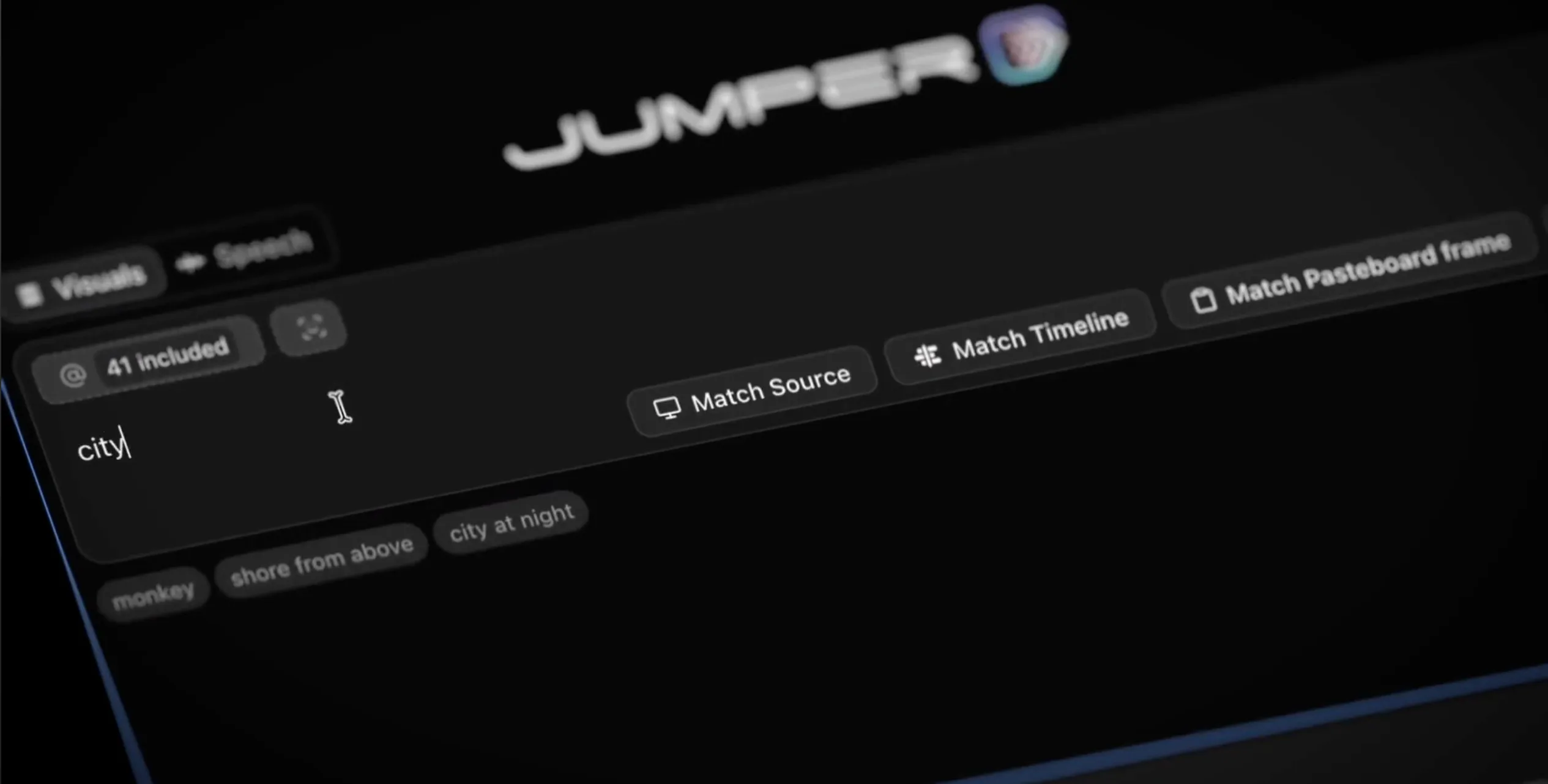
Jumper is a machine-learning search engine for your footage. Instead of tagging clips by hand, you type what you are looking for, in plain language, and it finds the matching shots across your whole library. It runs as a standalone app or as a plugin inside Final Cut Pro, Premiere Pro, DaVinci Resolve, and Avid Media Composer, and every bit of analysis happens on your machine. Nothing uploads, nothing trains on your footage.
Visual search works from a single keyword, no tags required: search 'subway' and Jumper returns the clips that show one. Match Similar takes a shot you already like and finds visually related moments elsewhere in the library, useful for building a sequence around a look rather than a keyword. Match Source Monitor does the same starting from whatever frame is loaded in your source monitor. Results add to the timeline directly, one clip or the whole batch, without leaving the edit.
Speech search transcribes your footage and finds a spoken word or phrase across 111 languages, so scrubbing through an interview a second time to find one line is no longer necessary. The Script Editor, added recently, opens the full transcript of a clip in one workspace: trim silences, drop lines you do not want, and send the selected ranges straight to the timeline as a rough cut, then export the script for review.
Jumper Pro adds face recognition, detecting and indexing every person across a library so a name search or a click on a face pulls up every appearance, interviews and b-roll included, still processed entirely on-device. Multicam and synced clips are supported in Final Cut Pro and Avid, and multicam in Premiere Pro; DaVinci Resolve multicam support is listed as coming soon.
Documentary editors tend to get the most out of this. Forty hours of interview footage becomes searchable by topic, emotion, or exact phrase, so a quote you vaguely remember takes seconds to find instead of a day of scrubbing. Archive B-roll that never got tagged responds to plain description too: 'crowd reaction' or 'factory interior' pulls matching shots without folder diving. Face recognition tracks a recurring subject across hundreds of hours in one search, useful for building a character's arc without hunting reel by reel, and since nothing leaves the machine, it holds up for unreleased footage, whistleblower interviews, or anything under NDA.
A newer Agentic Editing feature lets an AI assistant, Claude or ChatGPT/Codex, use Jumper's local search to build a rough sequence from a plain-language request, useful for sizzle reels or quick assembles. The standalone app lets you ingest and analyze footage before a project even exists. Jumper Pro is built for teams: analysis files can live on shared storage such as Avid Nexis, Synology, LumaForge, or QNAP so every editor searches the same index, and swarm compute spreads analysis across multiple machines to speed it up.
Jumper costs €169 per seat as a lifetime license, or €599 for Jumper Pro, both including one year of updates and a free trial that does not require a credit card. It runs on macOS and Windows, and DaVinci Resolve support requires Resolve Studio, since the free version does not expose the scripting API Jumper needs.
Jumper is featured in our comparison Best Organization & Automation Tools for DaVinci Resolve (2026).
Stop buying plugins. Build your own.
Every plugin you buy solves someone else's problem. Through The Forge skill packs, you can teach Claude Code to write, test, and install custom DaVinci Resolve tools in plain English. Save money, learn the workflow, and own your tools forever.


Pros
- Visual and speech search across an entire library without manual tagging, all processed locally
- Match Similar and Match Source Monitor turn a single shot into a way to find related footage
- Speech search and transcription cover 111 languages
- Script Editor turns a transcript into a rough cut you can send straight to the timeline
- Face recognition (Pro) finds every appearance of a person across hours of footage with no manual logging
Cons
- Requires DaVinci Resolve Studio; the free version is not supported
- Multicam search inside DaVinci Resolve is listed as coming soon, unlike the Final Cut Pro and Avid integrations
- Face recognition, swarm compute, and shared team analysis are Pro-only, a jump from €169 to €599
Verdict
The local visual and speech search genuinely changes how you work through large libraries, this is the strongest case for it in documentary or archive-heavy editing. The DaVinci Resolve integration is the newest of its four supported NLEs though, and multicam search here is still "coming soon" while Final Cut Pro and Avid already have it.
Reviewed by JérémyRelated DaVinci Resolve Plugins from the Store