Gallery
Overview
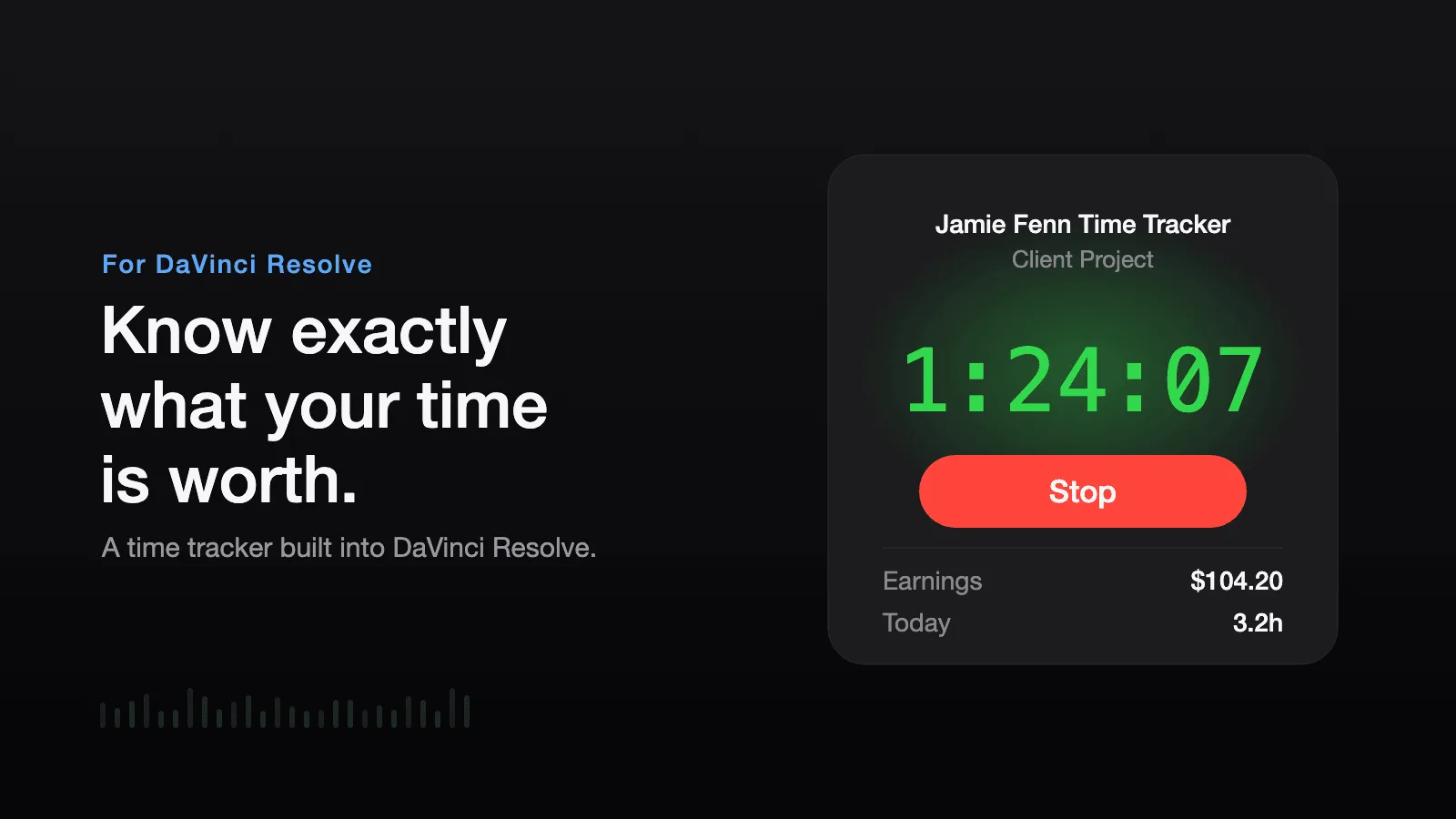
Time Tracker is a script by editor Jamie Fenn that keeps a clock running inside DaVinci Resolve. It holds a separate timer, hourly rate, and session history for every Resolve project, and switching project mid-session banks the time you already worked before the new clock starts, so a day spread across three jobs does not land on one bill.
Installation is one file dropped into Resolve's Scripts folder, followed by a restart, after which it opens from Workspace and Scripts. Illustrated manuals cover the Mac and Windows paths. Nothing else is installed: no Python packages, no account, and the tracked data stays on your own machine.
Because Blackmagic restricted on-screen script windows to Studio from Resolve 19.1 onward, it ships as two editions and you install the one matching your Resolve. Both are in the same purchase. The Free Edition covers one-click start and stop, per-project time and billing, session notes, and CSV invoice export. The Studio Edition adds the live window with the on-screen timer, a bar graph splitting your hours by Resolve page (Edit, Color, Fairlight, Deliver, and render time), automatic idle stop that credits time only up to your last action and resumes when you start working again, and a compact floating widget that parks beside the timeline.
The running session is written to disk every second, so a crash or a force quit recovers on the next launch. Rate changes apply going forward only: each session keeps the rate that was active when you worked it, and more than 20 currencies are supported. The export is a spreadsheet of every session with dates, hours, rates, earnings, and notes. It costs $19.99 once, with free lifetime updates, and Jamie Fenn also sells it bundled with a pricing playbook and a rate calculator.
Time Tracker is featured in our comparisons Best Organization & Automation Tools for DaVinci Resolve (2026) and The Best Time Tracker Alternative for DaVinci Resolve.
Stop buying plugins. Build your own.
Every plugin you buy solves someone else's problem. Through The Forge skill packs, you can teach Claude Code to write, test, and install custom DaVinci Resolve tools in plain English. Save money, learn the workflow, and own your tools forever.


Pros
- Both editions included in one purchase, so Resolve Free and Studio are covered
- Separate timer, rate, and history per project, banked automatically when you switch
- Automatic idle stop and resume on the Studio Edition, crediting only worked time
- Per-page bar graph showing whether Edit, Color, or Fairlight is eating the hours
- Rate changes never reprice sessions you already worked
- Session state saved to disk every second, so a crash loses nothing
- One-time payment, Mac and Windows, no subscription or account
Cons
- The live window, per-page graph, idle detection, and compact mode need Resolve Studio
- Requires DaVinci Resolve 19.1 or newer
- Manual install into the Scripts folder, with no installer
- DaVinci Resolve only, no other NLE
- No trial: the $19.99 is spent before you see it running on your own machine
Verdict
The per-page graph is the part no other time tracker for Resolve does: seeing that grading took eleven of the sixteen hours changes what you quote next time, and the automatic idle stop means stepping away for lunch does not silently pad the invoice. Both of those are Studio Edition features, so on Resolve Free you are paying $19.99 for start, stop, notes, and a CSV. Worth naming the conflict of interest here: Time Ledger, listed alongside it in this category, is my own plugin and costs $12. It runs its live window on Resolve Free, which this one cannot, and its CSV publishes the exact minutes behind each amount. Time Tracker answers a different question better, which is where your hours actually go inside Resolve. If you edit in Studio and want that breakdown, it earns the difference.
Reviewed by JérémyRelated DaVinci Resolve Plugins from the Store